
What Houston Property Teams Should Check Before Choosing DAS System Cellular Solutions
Houston buildings can look “fine” on casual signal checks and still frustrate tenants every day. Calls drop in elevator lobbies, data slows in conference corridors, and garages feel like dead zones right when people are arriving or leaving. When property teams start evaluating solutions, the smartest move is to slow down and check fundamentals first.
A strong selection process protects budgets and avoids messy do-overs. It clarifies what is actually failing, what carriers and tenants expect, and what the building can realistically support without constant ceiling rework. The checks below help teams choose a solution that performs under real load and stays serviceable long after the project closes.
Carrier Expectations for Cellular DAS Planning
Carrier support is not a detail; it is a decision driver. If tenants expect multiple carriers to work well indoors, teams should confirm what the building can support and how onboarding will be handled. With DAS system cellular, the goal is predictable indoor performance without turning every new tenant request into another construction project. That means clear demarcation, documented interfaces, and a head-end plan that does not become crowded and unserviceable.
Teams should also ask how carrier coordination will affect timelines. Carrier approvals, signal feeds, and activation steps can stretch a schedule if they are not planned early. A good partner can explain what is required, what is optional, and what will be validated at turnover. When expectations are clear, property teams avoid the frustrating outcome where the install is “done,” but the experience still feels unfinished.
Confirm what is Failing and Where The Pain Shows Up
Before picking a solution, teams should map the real complaint zones and verify them on-site. Stairwells, garages, loading corridors, and deep interior routes usually fail first because materials are heavier and transitions are sharper. It helps to log problems by time of day too, since congestion often spikes during arrivals, lunch, and shift change. That pattern tells teams whether the issue is reach, capacity, or both.
They should also separate tenant complaints from building-wide behavior. A single suite might have a unique layout, special glass, or dense equipment that blocks the signal in a way other floors do not. also prevents spending on broad changes when the real fix is localized, targeted, and cheaper to implement.
Peak-Demand Modeling for Smarter DAS Design
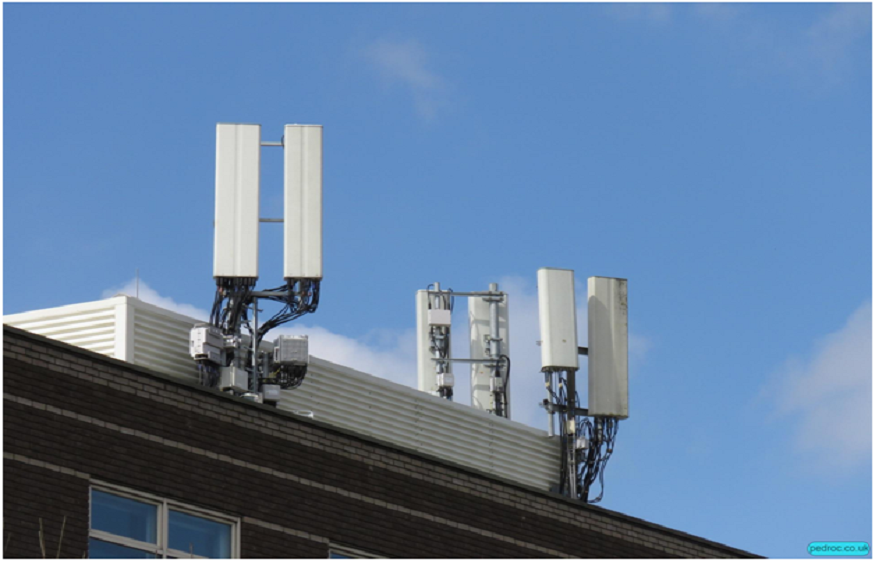
Coverage maps are useful, but they do not predict performance during the busiest hour. Houston properties often have real hotspots, like lobbies, amenity floors, conference clusters, and parking transitions, where too many users pile onto the same resources. Teams should estimate active users at peak, device counts per person, and the application mix that drives load, especially video calls and cloud workflows that stay active longer than voice.
This is where DAS system design separates a premium experience from a patch fix. Sectoring, core sizing, and distribution should be tied to realistic traffic, not a quiet-day walkthrough. Teams should ask what headroom is included for growth and how performance will be validated in hotspots. If the plan cannot explain peak behavior clearly, it usually means the building will be tuning and re-tuning after move-in.
Validate Pathways, Closets, and Power Before the Work Begins
Most surprises happen in infrastructure, not in equipment selection. Teams should confirm where head-end gear will live, whether the room has stable power, proper grounding, and usable cooling, and whether the space will stay accessible after turnover. They should also check risers and pathways for realistic routes, fire-rated penetrations, and safe service access, since poor routes often lead to late change orders and tenant disruption.
It also helps to confirm who owns what. Electrical work, fire-stopping, escort access, and ceiling coordination should not be vague responsibilities. When pathways are planned and labeled from day one, troubleshooting later becomes less invasive, and property teams avoid repeated ceiling openings just to locate a run.
Demand a Testing Plan That Proves the Solution Works
A good selection process includes a clear acceptance method, not a promise. Teams should request mapped test points in priority zones, a repeatable approach, and a report that summarizes results by area. Pre-testing while ceilings are accessible helps teams tune weak pockets without turning closeout into a crisis. If a few points fail, retesting should stay focused and efficient, not a full-building rerun.
A strong DAS system design also includes documentation that stays useful after turnover. As-builts, labeled pathways, power notes, and baseline results give teams a “before” snapshot they can reuse after remodels. This matters because buildings change constantly. When the next tenant build-out happens, the property team can verify performance quickly instead of starting from scratch and hoping the right information still exists.
Clarify Operations Handoff and Long-Term Service Ownership
Performance after turnover depends on simple habits. Teams should confirm how alarms are handled, who receives notifications, how after-hours access works, and what response times look like when a high-traffic zone has an issue. They should also ask what routine checks are recommended and which parts have replacement cycles, like batteries and monitoring components. A plan that ignores service usually creates downtime later.
With DAS system cellular, handoff should include a clear playbook, not just a folder of PDFs. Property teams should receive labeled maps, access notes, and a change-management rule for tenant remodels. When a suite adds partitions or converts space, the system may need tuning, and the process should be defined. That clarity keeps service calm, reduces tenant disruption, and avoids “emergency fixes” that pile up over time.
Protect Tenant Satisfaction with Smart Scheduling
Even the best solution can fail socially if tenants feel surprised by the work. Property teams should plan zone-based scheduling, batch noisy tasks outside peak hours, and keep daytime activity limited to quieter work like closet terminations and labeling. Crews should restore ceilings the same day whenever possible and keep corridors clear, so the building still feels professional and occupied, not under construction.
Communication keeps everything moving. Short weekly notices, simple maps of affected areas, and one point of contact reduce friction and speed up access. When tenants understand what will happen and when, they cooperate more, and projects stay on schedule. This is especially important in multi-tenant buildings where security rules, escorts, and suite access can quietly slow progress if they are not coordinated early.
Conclusion
Choosing the right indoor cellular solution is less about shiny hardware and more about disciplined checks. When property teams validate complaint zones, plan for carriers, model peak traffic, and demand a clear testing and documentation path, the result is a solution that feels consistent in the spaces tenants notice most. Just as important, it stays serviceable after remodels, staffing changes, and future growth.
CMC communications can help Houston property teams assess needs, plan a practical scope, and structure testing and documentation so the outcome is defensible and easier to maintain. Their team supports clean pathways, predictable scheduling, and clear handoff materials that reduce tenant disruption and keep performance steady as the building evolves.
Frequently Asked Questions
Question: What should teams do first if tenants complain about “bad signal”?
Answer: They should map complaint zones, verify them at the same time problems occur, and note recent changes like new doors or partitions. This quickly shows whether the issue is reach, congestion, or a localized layout problem. A simple baseline prevents overbuilding and keeps upgrades targeted.
Question: Why do garages and stairwells fail more often than offices?
Answer: Those areas use heavier materials and have sharp transitions that weaken RF. Garages also create reflections that can produce patchy results. Testing these routes early gives a more honest picture of building performance and reduces surprises during closeout.
Question: How can teams avoid installing a system that still feels slow?
Answer: They should model peak demand, not average days, and design around hotspots like lobbies and conference clusters. Validation should include busy-zone checks and a documented baseline. When peak behavior is planned and proven, performance feels stable in real use.
Question: What documents should owners require at turnover?
Answer: Teams should request as-builts, labeled pathway maps, power notes, and baseline test results tied to mapped points. Access notes and a simple change log help too. Organized records make future remodel checks faster and reduce repeat ceiling access.
Question: How do teams keep disruption low in occupied buildings?
Answer: They can phase work by zone, batch noisy tasks outside peak hours, and keep daytime activity quiet and predictable. Clear tenant communication and same-day restoration build cooperation. Predictable access is often what keeps schedules intact.
Read More : How Intelligent Support Systems Deliver Faster Answers Across All Your Service Channels
Question: What should an ongoing service plan include?
Answer: It should define alarm handling, after-hours access, response expectations, and a routine check cadence for critical zones. It should also note replacement cycles for components and how remodel-triggered verification will be handled. Clear ownership prevents small issues from turning into long disruptions.